
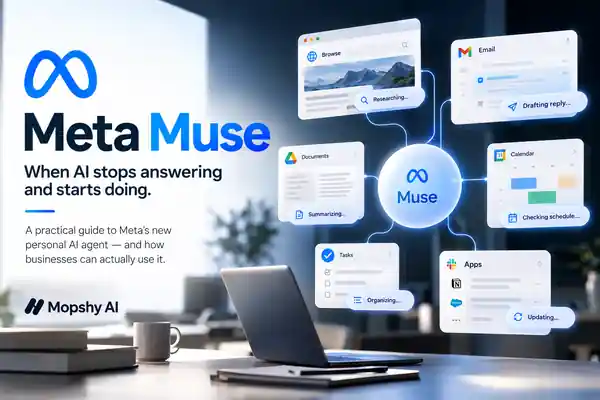
Meta Muse is interesting for one reason: it is built to do work, not just talk about it. Here is how I would actually use it, where the business value starts, and where I would still keep a human in control.
I keep seeing the same problem with AI products: we get very excited about a smarter model, use it to write a few emails, summarize a PDF, maybe create a presentation — and then we still spend the rest of the day clicking through the same ten apps ourselves.
That is why Meta Muse caught my attention. Not because I need another chatbot. I really don't. I need software that can take a piece of work, move through the boring steps, and come back when it needs me.
I don't need another AI that can write a paragraph. I need AI that can move the work forward.
Meta launched Muse on September 8, 2026 and describes it as a personal AI agent: something that can browse the web, work with connected apps, complete multi-step tasks, keep running in the background, and ask for approval before sensitive actions. That is a much more interesting product category than 'chatbot with a nicer interface.'
The Part That Actually Matters
The useful distinction is simple. A chatbot answers. An agent acts.
If I ask a chatbot, 'How should I prepare for tomorrow's meeting?' it can give me a checklist. If I give an agent the right permissions, the better version is: look at tomorrow's meeting, find the relevant emails, summarize what happened last time, identify unresolved questions, and give me a brief before I join.
That difference sounds small until you multiply it across a business. Research. Scheduling. Follow-up. Documents. CRM updates. Recurring reports. Forms. Customer questions. Competitor checks. None of these tasks is individually dramatic. Together they quietly eat entire workdays.
A Lead Comes In at 11:43 PM
Imagine this. A lead fills out a form at 11:43 PM. Nobody on your team is awake. Normally the lead sits there until morning, somebody reads it, looks up the company, checks whether it is a fit, sends a reply, updates the CRM, and tries to schedule a call.
The agentic version is different. The system can acknowledge the lead immediately, gather context, prepare the qualification, create the CRM record, draft the follow-up, and surface the one part that still deserves human judgment. Maybe that is the pricing. Maybe it is whether we should pursue the account. Maybe it is simply approving the final message.
I am not saying Muse automatically replaces your entire sales stack. Connector availability and permissions still matter. I am saying this is the direction that products like Muse make much more obvious: the interface is no longer the destination. The outcome is.
What Muse Can Actually Do Today
According to Meta's Muse product page, Muse can browse the web, create documents and images, make purchases, set reminders, track goals, monitor things in the background, and connect with apps such as email and calendar. Meta also says Muse can keep working after you close the app.
- Browse websites and work through multi-step web tasks.
- Connect to email, calendar, Instagram and other supported services through Connectors.
- Create documents, images and other artifacts instead of only returning chat text.
- Run reminders, monitoring and longer-running work in the background.
- Work toward a goal, maintain context and suggest next actions over time.
- On Mac, work with files and pull from apps such as Messages, Calendar and Notes with permission.
That last point is worth noticing. Meta's Muse download page describes the Mac app as an agent that can organize files, fill forms, and pull from desktop apps with permission. We are getting closer to AI operating across the work environment instead of living inside one chat tab.
Five Business Workflows I Would Try First
1. The Founder Morning Brief
Do not give me another generic news digest. Give me one operating brief: today's meetings, important unanswered messages, anything that changed in the business, and the three things that actually deserve attention.
Every weekday morning, review my schedule, important unanswered messages and active priorities. Give me the five things that deserve my attention today. Separate information from actions. Do not send or change anything without asking me first.
2. Inbox Follow-Up Without Living in the Inbox
A useful agent should be able to answer a much better question than 'summarize my email.' I want: who is waiting on me, what did I promise, what is urgent, and what can be drafted now?
Review my inbox from the last seven days. Identify conversations where somebody is waiting on me, group them by urgency, explain why each needs attention, and draft replies. Do not send anything.
3. Meeting Preparation
This is one of those 15-minute tasks that happens again and again until it becomes hours every week. Pull the invite, find the relevant context, surface previous commitments, and tell me what I should walk into the meeting knowing.
4. Competitor Monitoring
Instead of manually checking the same five companies every week, make the agent responsible for spotting meaningful changes: pricing, positioning, product launches, hiring patterns, partnerships, or a major new landing page. I do not want ten pages of noise. I want the delta.
Free 30-min audit
Want us to build this for your business?
We build complete AI systems for sales, support, operations, and back-office work. Book a free 30-minute assessment — we'll map the highest-value process and what an end-to-end system could look like.
Book a free call5. Turn Documents Into Work
Summarizing a 40-page document is nice. Turning it into decisions, deadlines, owners, risks and unresolved questions is useful. The point is not to read faster. The point is to move from information to execution faster.
The Prompting Framework I Would Use
Most people still prompt agents like search engines. For real workflows, I think five things matter more: Context → Goal → Inputs → Boundaries → Output.
Instead of 'research this company,' I would write something like:
I run an AI automation company serving growing U.S. businesses. Research this company to help me decide whether we should contact them. Review its public website and recent public information. Identify what it does, likely operational bottlenecks, evidence of automation needs, relevant decision-makers and three personalized outreach angles. Cite sources. Separate confirmed facts from assumptions. Do not contact anyone.
The agent now knows why the task exists, what good looks like, what information it may use, and — most importantly — where it must stop.
The Uncomfortable Part: Giving AI Access
This is the part I would take more seriously than almost any feature comparison.
A wrong chatbot answer is annoying. An agent with email, browser, calendar, payment or business-system access can create a real operational mistake. That changes how we should deploy these systems.
Meta's security architecture for Muse is interesting because it assumes the agent can make mistakes. Muse runs inside a dedicated Secure VM. A separate system called Sentinel controls permissions for connector actions and network access. Meta says credentials are isolated so the main agent does not see the real secrets, and high-impact actions can stop for human approval.
Meta is also unusually direct about the limitation: prompt injection remains an open industry problem, and Muse can still make mistakes. That sentence should probably be printed above every 'fully autonomous AI employee' pitch on the internet.
My rule: read broadly, draft freely, act carefully.
- Start with read-only access where possible.
- Keep sending, purchasing, deleting and other irreversible actions behind approval.
- Give the agent only the systems it actually needs for the workflow.
- Review the activity log until you understand how the agent behaves in practice.
- Increase autonomy because the workflow earned trust — not because the demo looked impressive.
What This Means for Small Businesses
You do not need a giant 'AI transformation' project to learn from this shift. Pick one annoying workflow.
Maybe leads wait too long. Maybe someone manually copies data between two systems. Maybe scheduling creates twenty emails. Maybe the same report is rebuilt every Monday. Maybe customer questions interrupt the team all day.
Map that workflow. Where does information enter? Which systems are involved? What decisions repeat? Which actions are low-risk? Which actions absolutely need a person? Then automate the boring middle.
That is how we think about AI integration and AI strategy at Mopshy. The model is only one component. The useful system is the model plus data, permissions, integrations, workflow logic, fallbacks, monitoring and human judgment.
My Take on Muse
I would not adopt Muse because it can generate an image or summarize a file. We already have plenty of tools for that.
I would pay attention because Meta is trying to make delegation the interface. Tell the agent what outcome you want. Let it coordinate the boring steps. Interrupt you when judgment, consent or risk requires a person.
If that interaction model works reliably, the long-term competition in AI becomes less about which model writes the nicest answer and more about which system can safely complete the most useful work.
That is also the opportunity for businesses. You probably do not need more software. You may need the software you already have to finally work together.
Frequently asked questions
What's your AI Readiness Score?
10 questions. A personalized score, profile, and a 90-day automation roadmap built for your business. No email required.
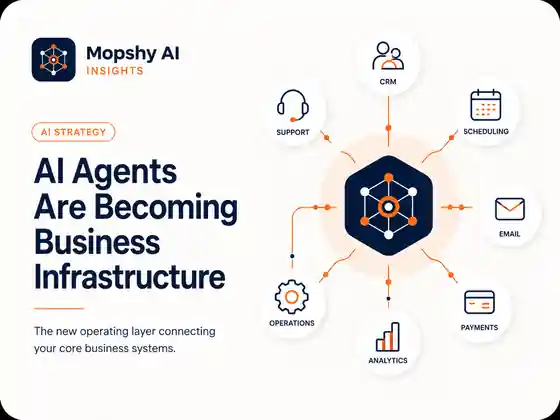


30-minute AI systems assessment
Find the AI system worth building next
Bring one process that is slow, repetitive, expensive, or leaking opportunities. We will map the business problem, the systems involved, and what an end-to-end AI system would need to own.
No obligation. If automation is not the right answer, we will say so.
0 Comments
Be the first to comment. Start the conversation below.